
Know before
you go.
Visa and entry rules for 245 destinations, with honest guides, government travel advisories and a currency converter — in one app that still works in flight mode.
Made for ten passports: Australian, Canadian, Dutch, German, Indian, Irish, New Zealand, South Korean, UK and US.

Every trip starts with the same question — can I get in? Hop answers it for your passport, then tells you everything else worth knowing.
A real guide for every one of them
Best time to go, what's worth seeing, what to eat, the plug, the language, the emergency number — and how you actually get there, including the places with no airport at all.








The answer, for your passport
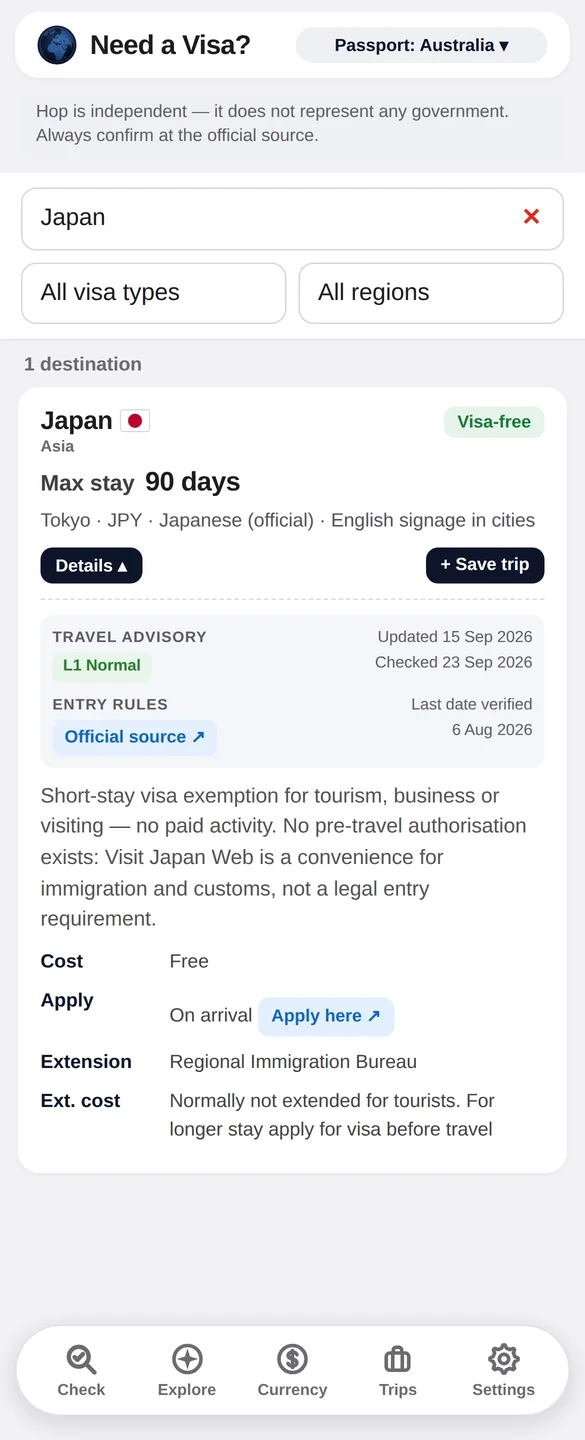
- Visa-free, on arrival, eVisa or embassyPlainly stated, with how many days you get and what it costs.
- Dated, not guessedEvery entry shows the last date Hop checked it against an official source.
- Government advice alongsideTravel advisories from seven governments, credited and linked to the source — and a link to your own government's travel page for every passport.
Built for 38,000 feet
Every destination, every visa rule, every guide and every photo is inside the app. Land with no signal and Hop still has the answers — live rates and advisory updates simply wait until you're back online.

Small tools that earn their place
Currency
A converter with rates built in and refreshed whenever you have a connection. Save the pairs you use most.
Trips
Plan a multi-stop trip and see how many visas to sort before you fly. Keep a record of everywhere you've been.
No sign-up needed
No ads, and nothing to register. Your passport choice, trips and favourites stay on your phone.





Where to next?
Hop is coming soon to the App Store and Google Play.
Try Hop before it launches
Hop is in beta on iPhone and Android now. It's free to join, and your feedback shapes what ships.
iPhone
- Install Apple's free TestFlight app from the App Store.
- Open the invite link on your iPhone and tap Accept, then Install.
Android
- Tap 1, then Join group. Use the Google account that's signed in to the Play Store on your phone. The group's messages stay private to members, so a “no permission” message before you join is normal.
- Tap 2, then Become a tester.
- Wait about 30 minutes, then tap 3 to install. If Google Play shows a blank page, check the Play Store is signed in to the same Google account, and try again a little later. Beta apps don't appear in Play Store search.
Found a problem in the beta? Email support@hoptravelapp.com.
Hop is a travel reference, not an official source. Entry rules change without notice. Always confirm with the embassy or consulate of the country you're travelling to, and with your airline, before you book.